Audatex Estimation Platform 2.0

Key Features
1. VIN Identification: precisely identify vehicle configuration, including parts assembly, part numbers and parts prices
2. OEM Data: through graphical interface, the platform presents user integrated EPC information, labor manual, and repair logic from manufacturers
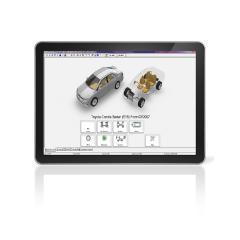
3. 3D graphics: 360-degree rotation to accurately identify damaged parts and reduces the risk of ordering wrong parts
4. Smart Calculation: built-in repair logic to include relevant labor times; IRE bodywork estimation to calculate labor times by simply drawing a circle on damage area
5. Two-Way Communications: enable the secure digital exchange of claims documents between insurance companies and repair shops
6. Data Transmission: interface with DMS or claims system to save manual input time
Why Audatex?
1. Support our customers to enhance the efficiency of estimation process, effectively saving manpower cost, and enhancing productivity
2. Establish standardize procedure to increase trust between insurance companies and repair shops, thereby reducing dispute and communications cost
3. The most comprehensive database on OEM parts&accessories, labor times, and repair logics to ensure accurate estimation
4. Global data development centers to continuously update the details of the latest vehicle models
5. We provide overall solutions, such as mobile estimation tools and data analysis reports
Product Brochure

Technical Support
Q: What’s the system requirements to operate Audatex Estimation Platform?
A:
|
|
Committed |
Not Supported |
|
Browser |
IE 11 |
IE 7/8/9/10 |
|
All Chrome |
||
|
Firefox 52 or higher |
||
|
OS |
Windows 7/10 |
Windows XP,Vista,Win8 |
|
Java |
Java 1.8.X or higher |
Older Java releases |
|
Network Bandwidth |
10M/S |
Lower than 2M/S |
|
Mobile 4G |
||
|
Adobe Reader |
V10 or higher |
V9 or lower |
Q: What are the Vehicle Identification methods supported by the Audatex Estimation Platform?
A: In Audatex Estimation Platform, vehicle model identification can be done in seconds using AudaVin. In cases where AudaVin does not support, users can use search tree function to select the model for estimation.
Q: How to quickly resolve the error during estimation?
A:
- Check whether your system configurations meet the requirement. (see “Q1”)
- If your system meets the requirement, users can find the Java icon at the bottom right of your screen, open the Java control panel, find the “Temporary Internet Files” in tab “General”, delete all temporary files in tab “Setting”. This should help to solve your problem.
Q: What are the print formats of the Audatex estimation result?
A: When printing, you can select the output format based on your requirement. The assessment results can be exported as PDF or Excel files.
If none of these FAQs answer your query, then please contact the Service Desk where our experts in Audatex software applications and vehicle data are on hand to answer your queries promptly.
Telephone: 400-820-1381
Email: support.China@audatex.com

 Audatex China
 Youku
Youku LinkedIn